
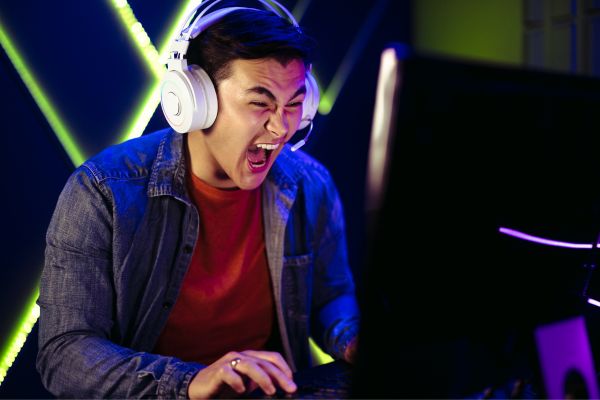
Streaming has evolved from a niche hobby into a core part of gaming culture. Whether you’re broadcasting high-stakes competitive matches or just sharing laid-back gameplay with friends, the tools you use can shape the entire experience. In 2026, streaming software is no longer just about hitting “Go Live.” It’s about control, customization, stability, and—perhaps most importantly—how naturally it fits into your gaming routine.
Finding the best streaming software for gamers today means balancing performance with usability. Some tools cater to beginners who want a clean, simple setup, while others are designed for creators who enjoy tweaking every detail. Let’s explore what’s out there and what actually matters when choosing your setup.
Why Streaming Software Matters More Than Ever
Streaming isn’t just about gameplay anymore. Viewers expect overlays, alerts, chat interaction, and a smooth visual experience without lag or stuttering. At the same time, modern games are more demanding than ever, leaving less room for inefficient software to hog system resources.
This makes your choice of streaming software more than just a technical decision—it becomes part of your creative workflow. The right tool should feel like an extension of your setup, not something you’re constantly fighting against.
OBS Studio Still Sets the Standard
OBS Studio continues to dominate conversations around the best streaming software for gamers, and for good reason. It’s open-source, endlessly customizable, and supported by a massive community that keeps it evolving year after year.
What makes OBS stand out in 2026 is how flexible it remains. You can build scenes from scratch, layer multiple sources, and integrate plugins that extend its capabilities far beyond basic streaming. From advanced audio mixing to real-time transitions, OBS gives you full control.
That said, it’s not the most beginner-friendly option. The interface can feel overwhelming at first, and getting everything dialed in takes patience. But once you understand it, there’s a certain satisfaction in shaping your stream exactly the way you want.
Streamlabs Brings Simplicity to the Table
For gamers who want to skip the steep learning curve, Streamlabs offers a more approachable alternative. Built on the same foundation as OBS, it wraps powerful features in a cleaner, more guided interface.
The biggest appeal here is convenience. Alerts, widgets, overlays—they’re all integrated in a way that feels plug-and-play. You don’t have to hunt for plugins or configure everything manually. It’s designed for people who want to start streaming quickly without sacrificing too much functionality.
However, that convenience comes with trade-offs. Streamlabs tends to use more system resources, which can be noticeable on mid-range setups. If your PC is already pushing its limits while gaming, this is something to keep in mind.
XSplit Offers a Polished Experience
XSplit has long positioned itself as a more refined, professional-grade option. In 2026, it continues to appeal to streamers who value stability and a streamlined workflow.
What sets XSplit apart is its polished feel. The interface is intuitive without being overly simplified, and many features that require plugins in other software are built right in. Scene transitions, audio controls, and source management all feel cohesive.
There’s a trade-off here as well. While a basic version is available, many advanced features sit behind a paid model. For some, that’s a fair exchange for reliability. For others, especially hobbyists, it may not feel necessary.
NVIDIA ShadowPlay for Performance-Focused Streamers
Not every gamer wants a complex streaming setup. If your priority is performance and minimal impact on your system, NVIDIA ShadowPlay is worth considering—especially if you’re already using a compatible GPU.
ShadowPlay operates quietly in the background, leveraging GPU encoding to reduce strain on your CPU. This makes it one of the lightest options available. You can stream, record highlights, and capture gameplay without noticeable drops in performance.
The downside is its simplicity. You won’t find the same level of customization or advanced features as you would in OBS or XSplit. It’s best suited for gamers who want a clean, no-fuss solution rather than a fully produced broadcast.
Lightstream and the Rise of Cloud-Based Streaming
Cloud-based streaming tools like Lightstream are gaining traction, especially among console gamers and those who prefer not to rely heavily on their local hardware.
Instead of processing everything on your PC, Lightstream handles overlays and scenes in the cloud. This can free up system resources and make streaming more accessible, even on less powerful machines.
There’s something appealing about being able to manage your stream from a browser, tweaking layouts on the fly without affecting your game’s performance. Still, it depends heavily on a stable internet connection, and the experience can vary based on network quality.
What Actually Defines the Best Streaming Software for Gamers
With so many options available, it’s easy to get caught up in feature lists. But the “best” choice isn’t universal—it depends on how you stream and what you value most.
Performance is often the first consideration. If your system struggles to handle both gaming and streaming, lightweight solutions or GPU-based encoding can make a noticeable difference.
Ease of use is another major factor. Some gamers enjoy experimenting with settings and building custom scenes, while others just want something that works out of the box. There’s no right or wrong approach here—just different preferences.
Customization plays a role as well. If you’re building a personal brand or aiming for a distinctive visual style, having control over every element of your stream can be incredibly valuable.
And then there’s stability. A stream that crashes or stutters can quickly turn viewers away. Reliable software that runs smoothly under pressure is often more important than having the most features.
The Shift Toward Hybrid Streaming Setups
An interesting trend in 2026 is the rise of hybrid setups. Many gamers are no longer relying on a single piece of software. Instead, they’re combining tools to get the best of both worlds.
For example, someone might use OBS for scene control and customization while integrating third-party services for alerts and chat management. Others might pair lightweight capture tools with cloud-based overlays to balance performance and flexibility.
This approach reflects a broader shift in how gamers think about streaming—not as a one-size-fits-all solution, but as a modular system that can be tailored to individual needs.
Streaming Is Becoming More Personal
As streaming continues to grow, it’s becoming less about technical perfection and more about personality. Viewers are drawn to authenticity, whether it’s a perfectly produced stream or a simple, unfiltered gameplay session.
The software you choose should support that authenticity rather than get in the way of it. If you’re constantly troubleshooting or adjusting settings mid-stream, it can disrupt the experience for both you and your audience.
Sometimes, the best streaming software for gamers is simply the one that lets you focus on playing, interacting, and enjoying the moment.
Conclusion
Choosing the best streaming software for gamers in 2026 isn’t about finding a single “winner.” It’s about understanding what fits your style, your setup, and your goals.
OBS Studio remains the go-to for those who want full control. Streamlabs simplifies the process for beginners. XSplit offers a polished, professional feel. ShadowPlay keeps things lightweight and efficient, while cloud-based tools like Lightstream point toward the future.
In the end, the right choice is the one that feels natural when you hit “Go Live.” When the software fades into the background and the focus shifts to your gameplay and your connection with viewers—that’s when you know you’ve found the right fit.